

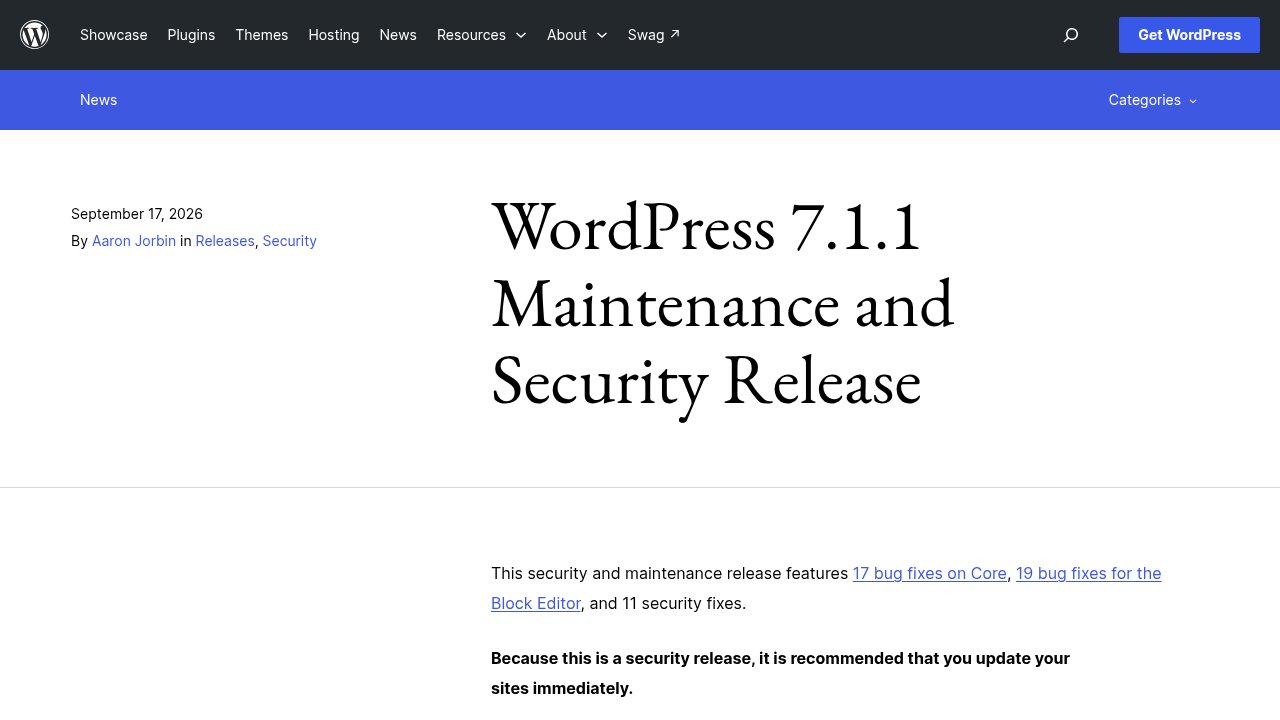
WordPress 7.1.1 shipped on September 17, 2026, as a maintenance and security release, and WordPress.org’s own announcement leads with a recommendation you don’t see attached to every point release: because this is a security release, update your sites immediately. This one doesn’t come with a single headline vulnerability or a CVE number attached to any of its fixes, unlike the pre-auth takeover chain behind XSS2Shell or the actively exploited core flaw we covered in wp2shell. It bundles 11 separate security fixes, alongside 17 Core bug fixes and 19 Block Editor fixes; the security fixes are backported to every branch still eligible for security patches, current through version 4.7. Let’s walk through what’s actually in that batch, together.
What shipped, and why a “security release” isn’t one big flaw
According to the official WordPress.org release announcement, 7.1.1 is a maintenance and security release, not a feature release: 7.1 already delivered its new functionality back in August, so this point release changes no behavior you’ll notice beyond the fixes themselves. None of the 11 security fixes carries a CVE number or a published severity rating, which is typical for a routine WordPress security release and different from the single, named, scored vulnerability that made XSS2Shell or wp2shell notable. That absence of a CVE is not a sign the fixes are minor: it just means WordPress.org treats the update itself as the actionable information, rather than a severity score.
The backport range matters more than the headline count. Security fixes in 7.1.1 reach back to the 4.7 branch, first released in December 2016, so any site still running an actively maintained older branch gets the same protection as a site on the newest release. Anything older than 4.7 sits outside that safety net and stays vulnerable with no official recourse, since WordPress no longer issues security patches for it at all.
The 11 fixes, grouped by what they actually touch
Eleven fixes sounds like a lot for one release, but they fall into four distinct groups, and knowing which group a given fix belongs to tells you more than the raw count does.
Three touch cross-site scripting. wpautop(), the function WordPress uses to turn line breaks into paragraphs, let an unauthenticated visitor inject a stored script through a comment awaiting approval, a bug credited to Rafie Muhammad of Awesome Motive. A related HTML API bug let crafted, abruptly closed sequences break out of a comment’s expected boundaries, reported by WordPress Security Team member Jeremy Felt, who also reported the third: stored XSS reachable through certain themes that support custom header images.

Two are information leaks with a narrower blast radius: a missing capability check exposed the title of a private parent post through admin-area metadata, reported by HDWSec, and a similar gap let a Contributor-level account see the slug of a draft or pending post that wasn’t theirs to see, reported by Jakub Herman.
Four are authorization bypasses spread across Core, the REST API, and the older XML-RPC interface. An authenticated path-traversal bug in the REST API’s Templates controller, and a separate bug letting a Contributor-level account overwrite an arbitrary post, were both reported by Anthropic, a detail the next section covers on its own. WordPress Security Team member Ben Bidner reported a way XML-RPC could publish a customize_changeset post while skipping the edit_css permission check it should have enforced, and a fourth bug, reported by Justin Hart of Viridis Security, let any authenticated user reparent comments that weren’t theirs to move.
The remaining two sit outside those categories. Specially crafted URLs could trigger WordPress to auto-install and preview an inactive theme straight from WordPress.org, reported by Paulos Yibelo and pwn.ai, the same researcher and platform behind XSS2Shell. And a Site Administrator on a multisite network could network-activate a Network-only plugin that an ordinary Administrator had installed, a permissions gap credited to Jesse McNeil.
The detail most coverage will miss: two of the eleven came from Anthropic
Read past the changelog and one detail stands out that a plain “11 security fixes” summary won’t surface: two of them, the REST API path-traversal bug and the arbitrary post-overwrite bug, are both credited to Anthropic, not to an independent researcher or a member of the WordPress Security Team. WordPress.org’s announcement treats that credit exactly the way it treats every other name on the list: attached to a fix, with no separate commentary.
That’s worth noting on its own terms, without turning it into a bigger story than it is. An AI lab auditing mainstream open-source software for security bugs, then reporting what it finds through WordPress’s normal disclosure channel rather than announcing it separately, is a quieter and more mundane thing than an “AI finds a hack” headline. It sits alongside pwn.ai’s research platform, credited elsewhere in this same release for the theme-preview bug, as a second example of automated or AI-assisted research turning up in WordPress’s ordinary security workflow this year. Two credits out of eleven doesn’t make this an “AI security” release, though: the other nine came from the usual mix of independent researchers and WordPress’s own Security Team, and that mix still does most of the work.
Are you patched? The practical check
Confirming you’re covered takes less time than reading this section. Open your WordPress dashboard, then Updates, or check the version number printed at the bottom of most admin screens: 7.1.1 or later means THE fix is already applied. If you see an older number with no update pending, automatic background updates are either disabled or failing silently, which is worth checking directly rather than assuming.

Automatic updates cover Core security releases by default on most hosts, but three situations quietly opt you out: a security plugin or host-level setting that disables them, a site frozen on a branch older than 4.7 that WordPress no longer patches at all, and managed hosting where your host, not WordPress, controls the update schedule. If any of those describes your setup, updating by hand, from Dashboard, then Updates, then Update Now, takes under a minute. If you manage a site for a client or an employer, this is a good moment to confirm in writing that automatic security updates are genuinely turned on, rather than assumed to be.
Our take
A security release with no CVE and no individual severity ratings can read like a non-event, and for most sites running an actively maintained branch, it mostly is: eleven disparate bugs, patched the same way WordPress patches dozens of similar ones every year. What’s worth remembering isn’t any single fix, it’s the backport reach and the reporter list: protection extended all the way back to a branch from 2016, and two of eleven credits going to an AI lab doing the same kind of unglamorous, no-headline security research that keeps a decade-old codebase this well maintained.
Here is where that leaves you, depending on your situation:
- If your dashboard already shows 7.1.1 or later, you’re covered: no action needed.
- If you see an older version with no update pending, update by hand today, from Dashboard, then Updates, then Update Now.
- If you manage a site for a client or an employer, confirm in writing that automatic security updates are actually enabled, not just assumed to be.
- If your site is still on a branch older than 4.7, treat this as the forcing function to finally move it forward: that branch is now permanently outside WordPress’s security coverage.
We covered the version this release patches, WordPress 7.1, in more depth if you haven’t made that jump yet. Update, confirm you’re actually on 7.1.1, and get back to running your site.